AGGELOS PLATIKOSTAS

One home for everything personal

One home for everything personal

The problem

The problem

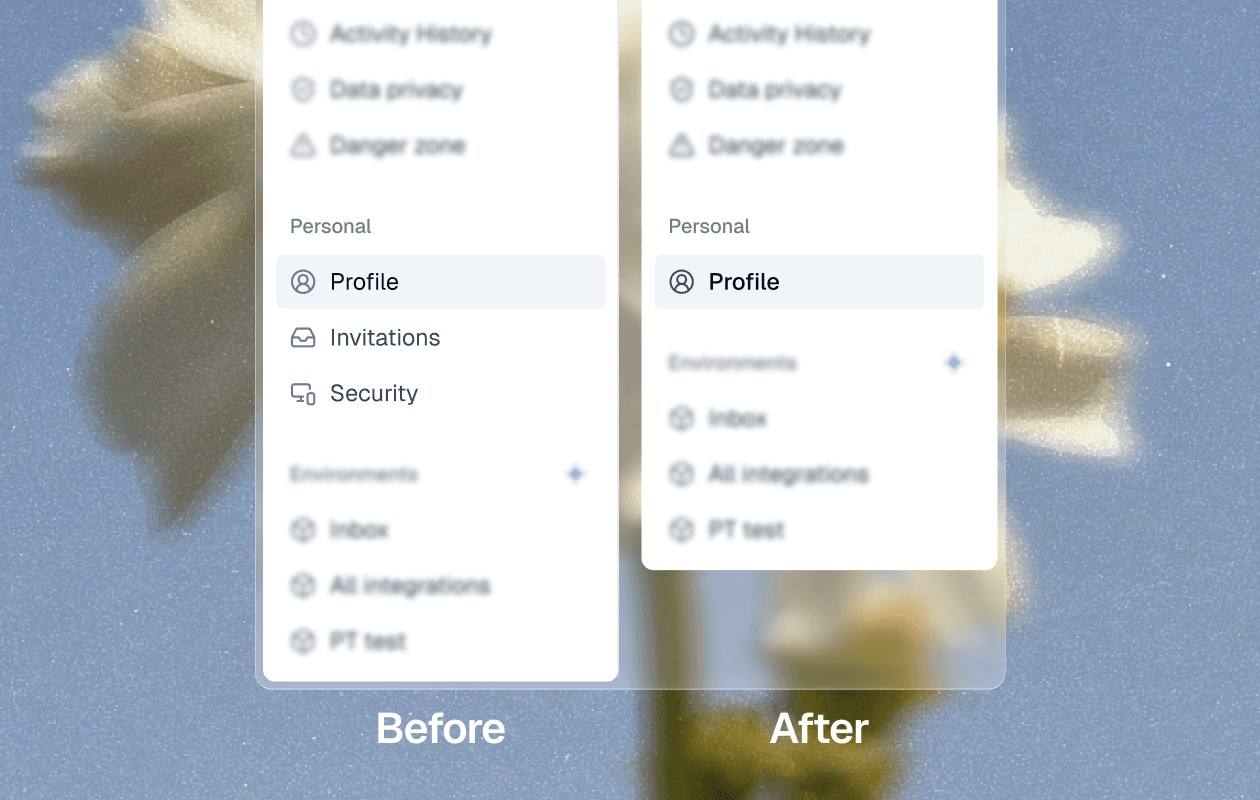
Personal settings lived in three separate tabs: Profile, Invitations, and Security. To change a name, accept an invite, or update security, you had to know which tab held what and click between them.

Personal settings lived in three separate tabs: Profile, Invitations, and Security. To change a name, accept an invite, or update security, you had to know which tab held what and click between them.

The solution

The solution

I merged the three tabs into one Profile page. Everything personal now sits on a single page, split into clear sections you can scan at a glance.

The panel makes the agent’s reasoning easy to read. You can turn parts of the agent on and off to see what changed, and the fix sits one step away. Testing becomes a quick loop instead of a dead end.

Three tabs, now one

The old account menu listed Profile, Invitations, and Security as separate tabs, so related settings sat a click apart for no clear reason. The new menu keeps a single Profile entry and moves everything else inside it.
Grouped so a long page stays easy to scan

One page can get long, so I split it into labeled sections: Personal Settings, Invitations, Preferences, and Notifications. Each group sits in its own card, so the page reads as a short list of topics instead of a wall of fields.

The Context tab lets a tester switch the agent’s knowledge and each guideline, Goal, Custom instructions, Handling objections, on or off. That isolates one variable at a time, so a behavior change can be traced to a single cause instead of a guess across three.

In Invitations you can accept or decline an invite where you see it, or copy your email to share so someone can invite you to their account. In Preferences I added a light and dark switch dropdown because we added it as a new feature.

AGGELOS PLATIKOSTAS

AGGELOS PLATIKOSTAS